Runs in your browser — no upload
Pet portrait maker
Turn a photo of your dog or cat into a portrait you can frame.
A free pet portrait maker for the photo already on your phone. Four steps, all of them free to try, and the photo never leaves your computer.
- 1
Know how big it will print
Before you buy the frame. A clear yes, maybe or no for every size from 5x7 to 24x36.
- 11 print sizes
- Crop counted
- 2
Lose the messy background
The sofa, the kitchen floor, whoever’s feet were in shot. The fur stays soft at the edge, and a brush fixes anything it misses.
- Fur-safe edges
- Refine brush
- 3
Give them a new backdrop, and their name
A plain color, one of ours or a photo of your own, with their name in the spot you choose.
- 31 backdrops
- Name on the print
- 4
See it on the wall first
Try it in a framed room before you print, then take every size home in one download.
- 8 framed rooms
- One ZIP
Free, unlimited, no account. Your photos never leave your computer, because there is nowhere to upload them to. You pay only to take the watermark off.
Start here — step 1 of 4
Try the free pet photo resolution checker
Drop a photo in. See every size your pet portrait will look good at.
Drop a pet photo here
JPG, PNG, WebP or iPhone HEIC. You can paste from the clipboard too.
The photo is read on this device and never uploaded.
11
print sizes, one crop
8
framed room previews
0
photos uploaded, ever
~15s
of processing per photo
The same photo, before and after
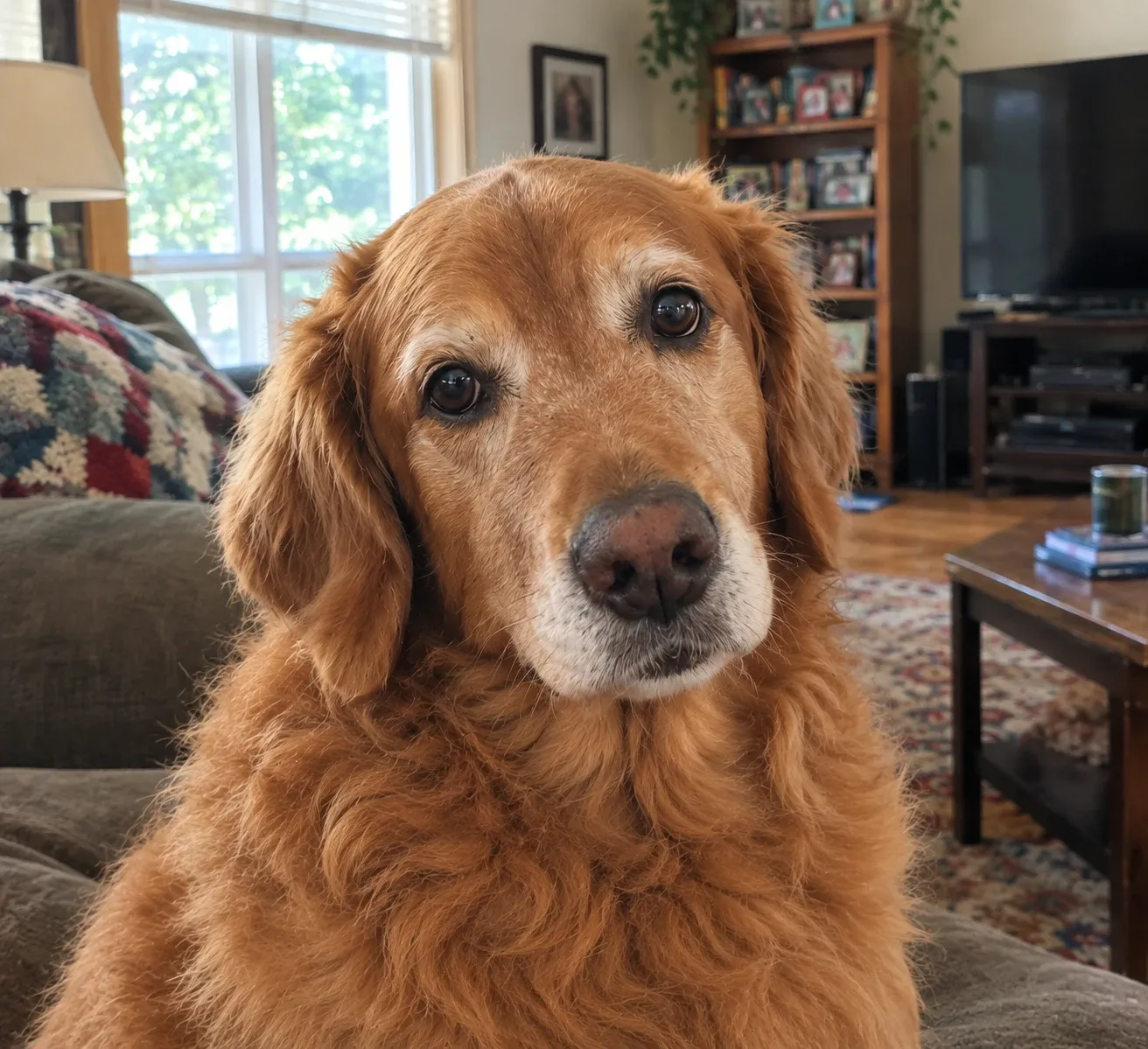
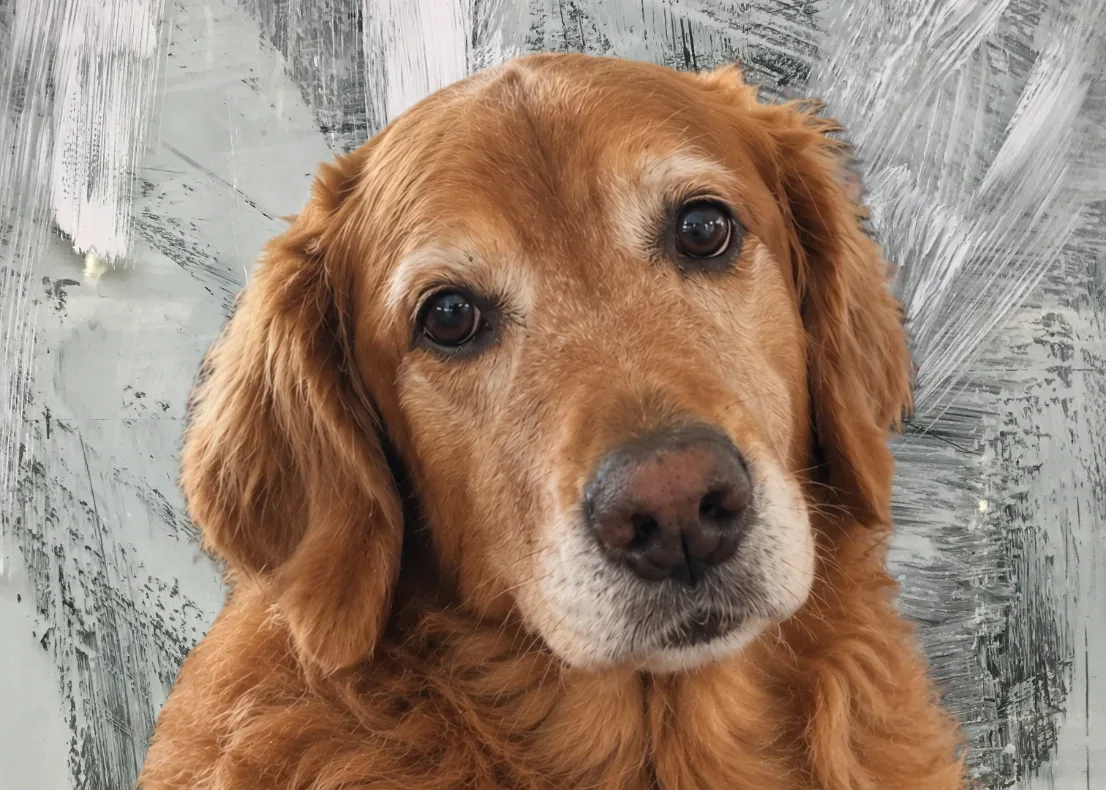
From phone photo to a portrait you can frame, in four steps
Four stages, about fifteen seconds of computing, all of it local — the only part that takes longer is you, tidying an edge with the brush. Each stage hands its output straight to the next, so you never re-import a file or re-crop something you already framed.
01
Check it will print
Green, amber or red at both 300 and 200 DPI, for every frame size. The crop comes off before the verdict, so what you read is what the paper receives — not the flattering number you get dividing pixels by inches.
02
Remove the background
A soft alpha matte rather than a hard mask, so fur keeps its softness instead of being cut flat. How clean it comes out depends on the photo — the refine brush is there for the rest.
03
Background, name and framing
Drop in a background — a solid color, one of ours, or a photo of your own — add your pet’s name if you want it, and frame their face once. All 11 frame sizes follow, with the correct DPI written into each file.
04
See it on a wall, then download
Place the finished portrait in framed room scenes to see how it looks hung. Then one ZIP with every size, and a read-me listing what is in it.
See it on a wall before you print it
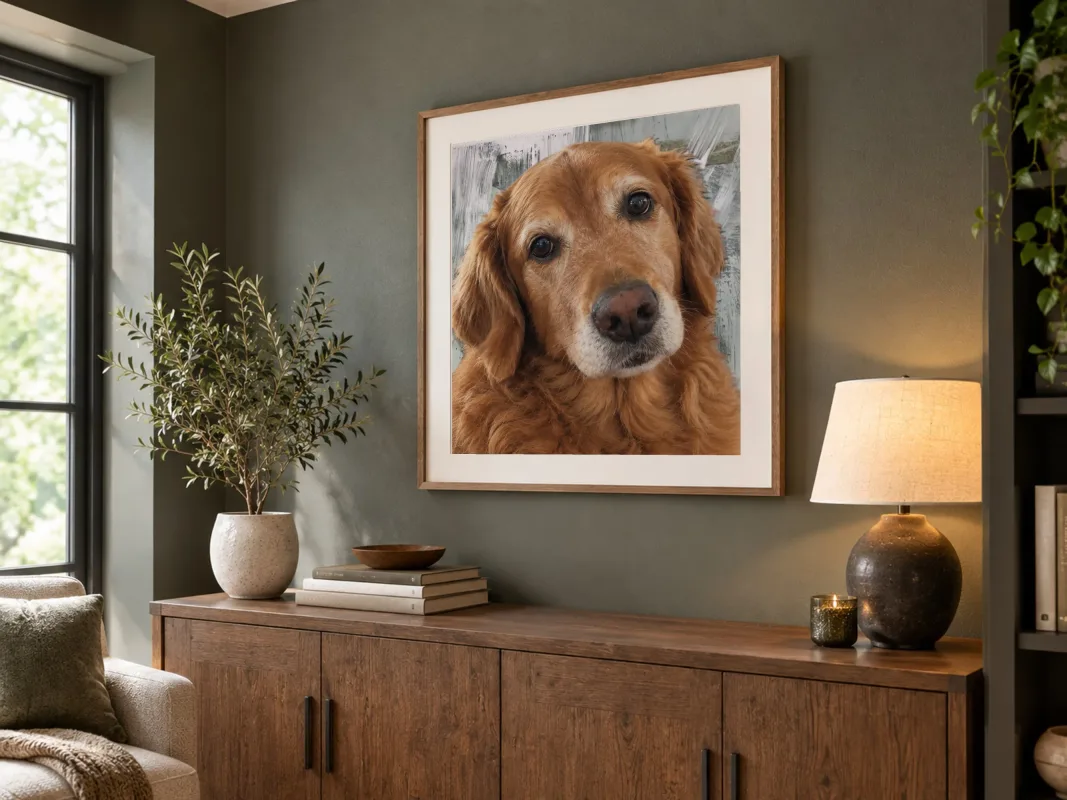
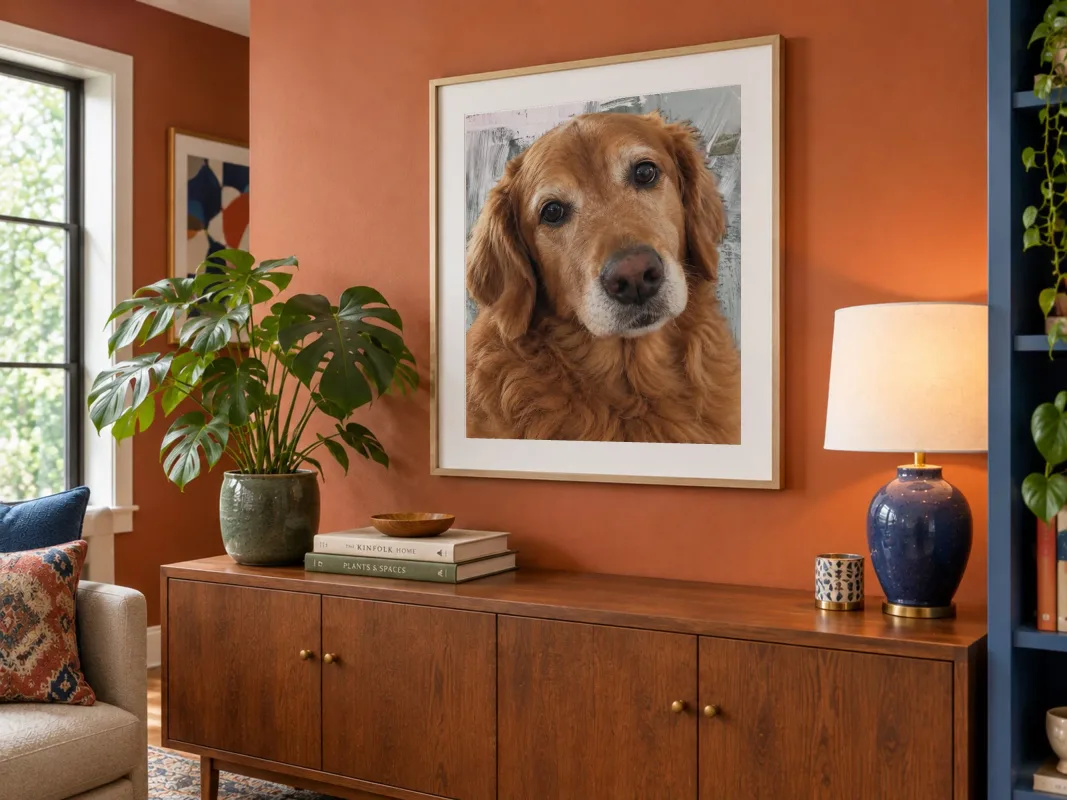
The finished portrait composited into 8 framed room scenes — rendered on your machine, in the same run that makes the files.
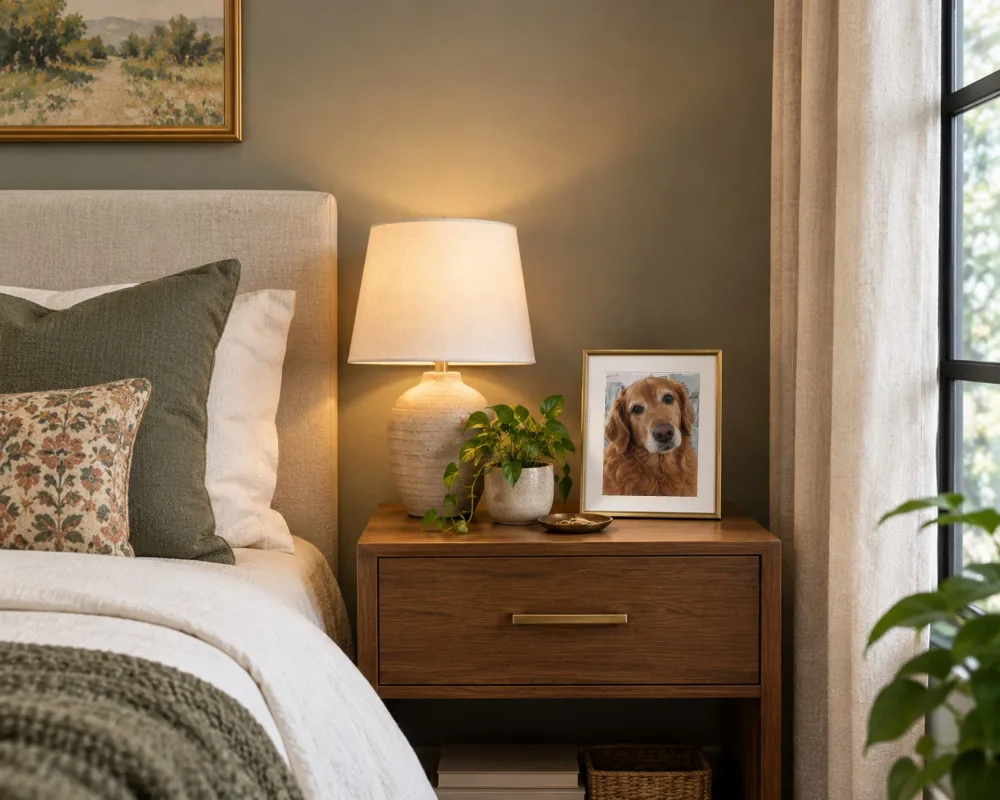
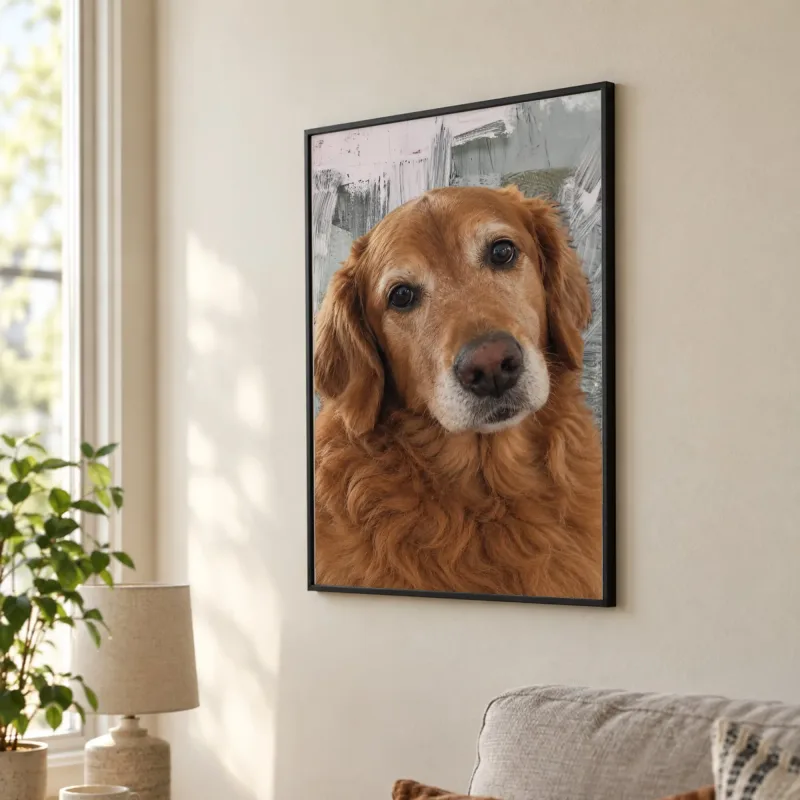
Every frame size, in one ZIP
Eleven sizes, seven aspect ratios, one framing decision. 5x7 up to 24x36, A4 and A3 for UK, European and Australian frames, 8x8 and 12x12 for square frames. You frame your pet’s face once and every size crops from that framing, subject-aware, with the correct 300 DPI metadata written into the file.
Need the numbers? The pet photo frame size chart lists the pixels every size needs at 300 and 200 DPI, grouped by aspect ratio.
Drawn to scale against each other — scroll for the larger sizes.
What you can make with it
A dog portrait from a phone photo, a cat portrait from the one shot where they sat still, a memorial print with their name and years. One online editor, and a page for each thing people come to it for.
How to make a pet portrait from a photo
How to make a pet portrait from a phone photo, step by step: check the print size, change the background, add a name, and export for your frame. No Photoshop.
Pet portrait background: ideas and how-to
Change the background of a pet portrait without losing the fur, plus background ideas that suit dark and light coats. Free to try in your browser.
Pet photo with name, on every print size
Put your pet’s name on a photo: what to write, where to place it, how big to set it, and how to keep it the same on every print size. Free to try.
Pet memorial photo editor
Make a memorial print of a pet from the photo you have: size check, a quiet background, their name and years, every frame size. Nothing is uploaded.
Free and unlimited. The watermark is the only catch.
Run every photo you have through it. Every print size, every room preview — free, for as long as you like. Exports come out stamped with petprintkit.com, so you can see exactly what you would be getting before you spend anything. When you are ready to print, the clean files for that photo are $5, once.
Free
$0 forever
The entire tool, with no limits on what you can do or how many photos you run. Every image it produces carries a petprintkit.com watermark.
- All 11 print sizes
- Background removal and the refine brush
- Subject-aware smart crop to every frame shape
- Framed room previews, every scene
- Your pet’s name on the portrait
- Your own mark or signature, under the petprintkit.com one
- No account, no card, no time limit
- Every exported file is watermarked with petprintkit.com
Single photo
$5 once
One photo, one payment, no subscription. Pay once and the watermark comes off everything you make from that photo.
It covers the one photo you bought it for. A different photo is another pass.
Unlock one photo for $5Your photos never leave your computer
There is no upload step, because there is no server to upload to. The background removal model downloads to your browser once and stays cached, and from then on every cut-out, crop and room preview is computed by your own machine — offline, if you like. Your photos stay private by construction rather than by privacy policy.
Your computer
- Photo
- Your browser
- Files
Questions people actually ask
- Does my photo get uploaded anywhere?
- No. Every step — reading the photo, removing the background, cropping, resizing and building the room previews — runs inside your browser using WebAssembly. The image data never leaves your computer, and there is no server that could store it even if we wanted to.
- What resolution does a pet portrait need to print well?
- For a true 300 DPI print, multiply the print size in inches by 300: an 8x10 needs 2400x3000 pixels and a 16x20 needs 4800x6000 pixels. At 200 DPI — acceptable for anything hung on a wall rather than held — those become 1600x2000 and 3200x4000. A standard 12 MP iPhone photo is 3024x4032, which comfortably prints 8x10 but falls short at 16x20.
- What is the catch with the free version?
- The free version is the complete tool — every print size, background removal and the framed room previews, with no photo limit and no account. The one thing it does is stamp a petprintkit.com watermark across every image it exports, so free files are for seeing the result rather than printing it. When you are ready to print, a $5 one-time pass removes the watermark from everything you make from that photo. Sellers doing many photos a month have a Pro plan that removes it for all of them.
- Is there a limit on how many photos I can run for free?
- No. There is no photo limit, no daily cap and no trial period. Try every photo of your dog you have, one after another, and keep the one that works best — the free version is limited by the watermark on the output, not by how much you use it.
- Does it work with iPhone HEIC photos?
- Yes. HEIC and HEIF files are decoded in the browser automatically. A photo straight off an iPhone is usually HEIC, and it opens like any other.
- Can it rescue a photo that is too small to print?
- No, and it will not pretend to. Upscaling makes a file bigger without adding any detail the camera did not capture, so exports are never scaled up to hit a number: a size the photo cannot fill is exported at the resolution it genuinely has, with that honest DPI in the filename and in the read-me. What the tool gives you instead is knowing before you order, so you pick a size the photo can actually fill.
- Do I need an account?
- No. There are no accounts and no sign-up. The free version needs nothing at all, and the one-photo pass is a single checkout with no account behind it.
- Which print sizes does it make?
- Eleven standard frame sizes: 8x10 and 16x20 (4:5), 12x16 and 18x24 (3:4), 24x36 (2:3), 5x7 (5:7), 11x14 (11:14), 8x8 and 12x12 (square), plus A4 and A3 for UK, European and Australian frames. You frame your pet once and every size is cropped from that framing, so you are not re-cropping eleven times.
- Can I see it framed before I print it?
- Yes. Stage 4 places the finished portrait into 8 framed room scenes — living rooms, a hallway, sideboards, a bedside table and a home office, in a range of frame finishes — so you can see how it looks hung before you order a print. They render on your machine along with everything else.
- Does it work for cats and horses, or only dogs?
- Any animal with fur or hair. The matting model was trained on general subjects rather than dogs specifically, so cats, horses, rabbits and birds all work about as well as dogs do — cats often a little better, because whisker contrast is usually higher. How clean any of them come out depends far more on the photo than on the species: even light, and a background that is not the same color as the animal, matter more than anything else. Expect to spend a moment with the refine brush on a difficult one.
Put one photo of your pet through it and see what comes out.
Nothing to install, nothing to sign up for, nothing uploaded. The free tier is the whole tool with a watermark on the exports, so you can prove it on your own photos before you spend anything.